

In web development and network infrastructure management, server responsiveness and user experience represent the pillars of any successful online platform. As data volume and application complexity grow, continuous retrieval of information from slower storage systems places a heavy burden on server resources, leading to increased latency. Caching technology acts as an intelligent intermediary layer designed to address this fundamental bottleneck. By optimizing data access paths, caching maximizes both system stability and overall performance.
Cache Definition, History, and Core Concepts
Examining the history and origins of caching reveals that this technology arose as an essential mechanism to bridge major hardware performance gaps.
Defining Cache in Simple Terms
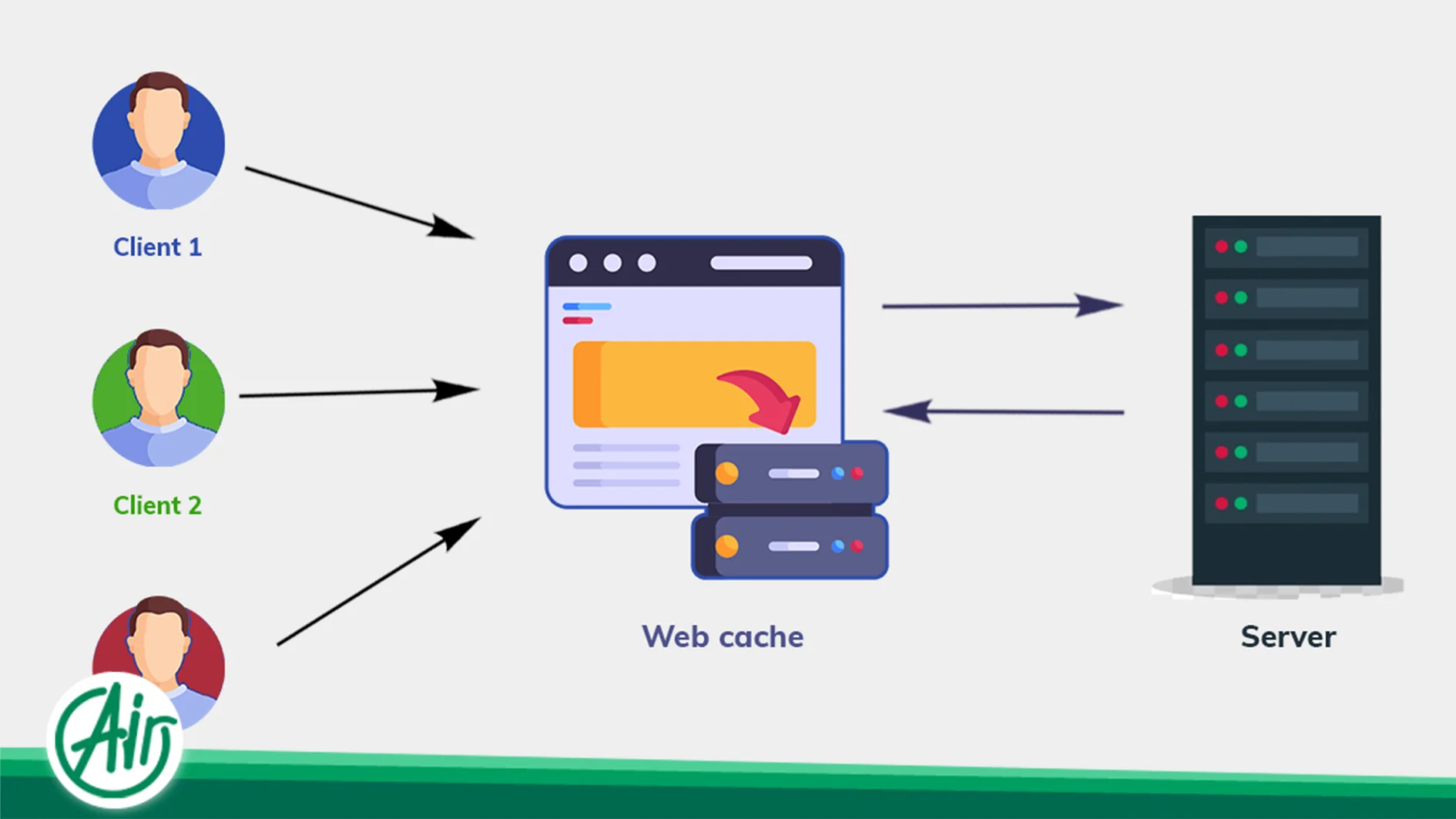
A cache is a temporary storage mechanism that holds a small copy of frequently accessed or resource-intensive data in a high-speed storage medium. When an application, operating system, or website needs to access specific data, it first queries this rapid-access memory layer instead of executing a full, time-consuming generation process or fetching the data from slower storage engines. This mechanism is highly analogous to keeping reference books on your desk rather than returning them to distant library shelves after every single use.
How Cache Accelerates Performance
Speed optimization is achieved by reducing both the physical and logical distance required to retrieve data. In traditional architectures, hard drives or relational databases must perform complex mechanical operations or heavy computations to answer a query. Caching technology places this vital information in ultra-fast memory components, such as RAM or processor cache layers, minimizing system latency to deliver data within microseconds.
The Origin of Caching
The primary driver behind the creation of caches was the widening performance gap between CPU processing power and the read/write speeds of secondary storage. Over the past decades, processor speeds grew exponentially, while hard disk drives (HDDs) and main memory architectures struggled to keep pace. To prevent processing power from being wasted during wait times, engineers developed intermediary storage layers known as caches.
Difference Between Cache and Main Memory
Main system memory features a much larger capacity and is responsible for holding all currently running processes, yet its access speed is significantly slower than the upper layers of the processor architecture. CPU cache offers substantially lower latency than main memory, but due to high manufacturing costs, it is implemented in highly limited capacities reserved exclusively for critical, repetitive instructions. For example, a modern, high-end consumer desktop processor—such as the AMD Ryzen 9 9950X3D—features a combined total of 144 megabytes of L2 and L3 cache memory to handle demanding workloads.

Operational Mechanisms and Caching Lifecycles
A precise understanding of how a cache behaves when handling different requests is essential for managing hosting infrastructures effectively.
Understanding Cache Hit
A cache hit occurs when a system or browser requests data and successfully locates it within the initial cache layer. In this scenario, the system immediately retrieves and serves the data without querying any underlying storage layers, maximizing responsiveness.
Understanding Cache Miss
A cache miss occurs when the requested data is not present in the cache, either because it was never stored or because it was evicted. When this happens, the system is forced to route the request to the primary storage layers—such as databases, standard drives, or NVMe storage—to extract the information, write a copy of it to the cache for future requests, and finally return the response to the user.
Data Storage and Retrieval Cycle
The lifecycle of cached data begins with a query. The system inspects the cache layer; if the data is found, it is served immediately. If a miss occurs, the data is pulled from the primary source, returned to the user, and simultaneously written to the cache. This cycle repeats continuously until the cached data expires or is explicitly cleared.
Cache Validation
Validation is the process by which a system verifies whether the cached copy of a resource still matches the master version on the origin server. This check relies on specific HTTP headers and validation tokens to ensure that the data delivered to the end user is accurate, preventing the transmission of stale or inconsistent content.
Cache Expiration
Every piece of cached data is assigned a defined lifespan, after which it is considered expired. This expiration process allows systems to manage limited cache space efficiently, automatically freeing up storage for newer, high-priority data by discarding or invalidating old records.
Key Benefits of Deploying Cache Layers
Implementing caching across various hardware and software layers yields major technical advantages:
-
Performance Acceleration: Storing frequently accessed data in fast memory significantly reduces website page load times and application execution latency.
-
Resource Optimization: Eliminating redundant computational tasks substantially lowers bandwidth consumption and physical hardware overhead.
-
Server Load Reduction: User requests are answered before they reach the server core or database, preventing server crashes during traffic spikes.
-
Latency Minimization: System response times are brought down to a minimum, ensuring queries are processed and dispatched almost instantly.
-
Enhanced User Experience: End users navigate seamlessly through websites and applications without encountering frustrating loading screens.
-
Reduced Infrastructure Costs: Effective cache management mitigates the need for expensive hardware upgrades or additional servers.
Classifying the Primary Types of Caches
Caching technology is categorized based on its specific location within the network and private server architecture:
-
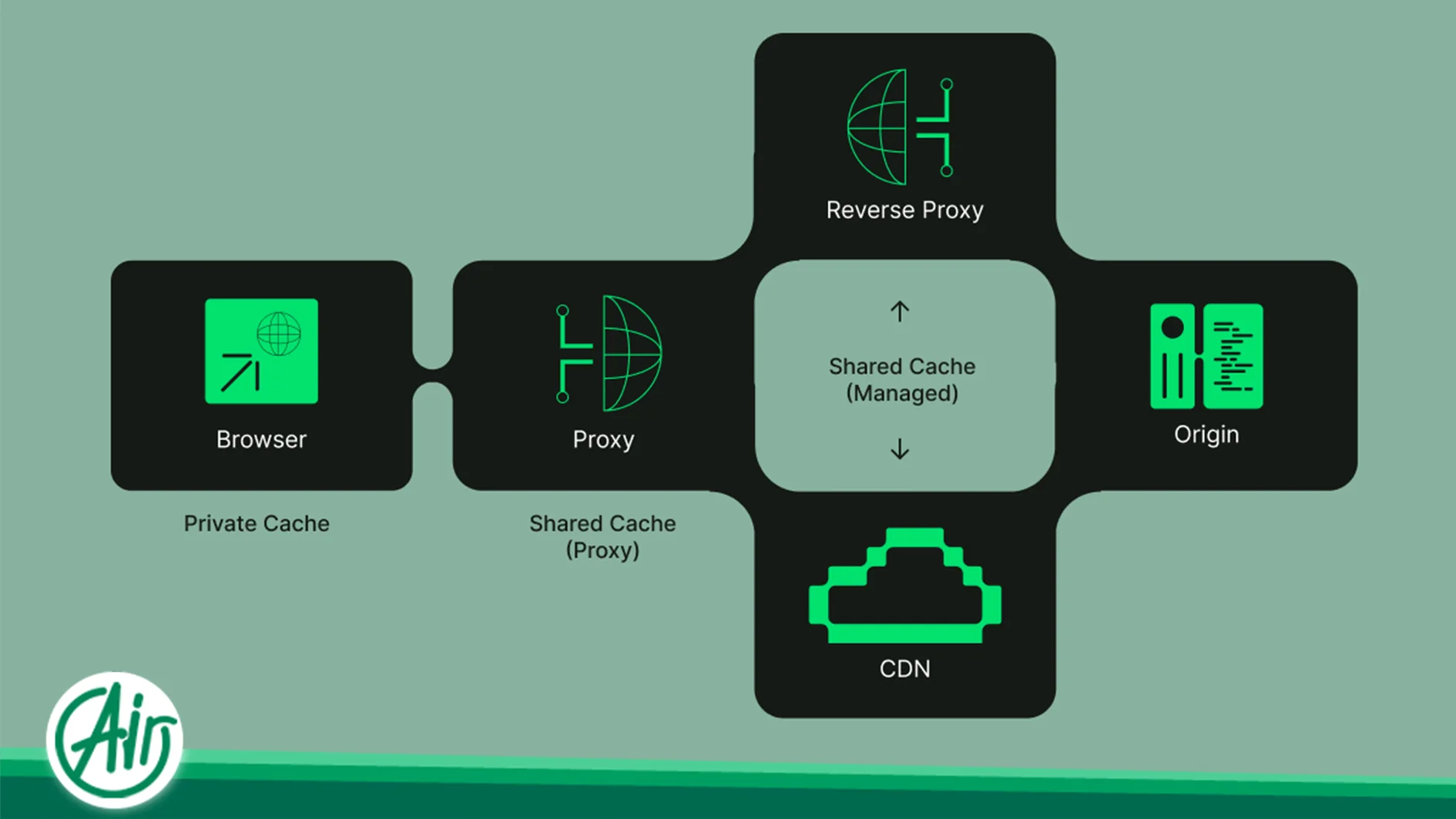
Browser Cache: Stores static assets on the user’s local device to speed up subsequent visits to previously loaded websites.
-
Server Cache: Implements storage mechanisms on the hosting server to reduce the processing load on web infrastructure.
-
Application Cache: Optimizes application code execution by storing parsed functions and internal program results in temporary memory.
-
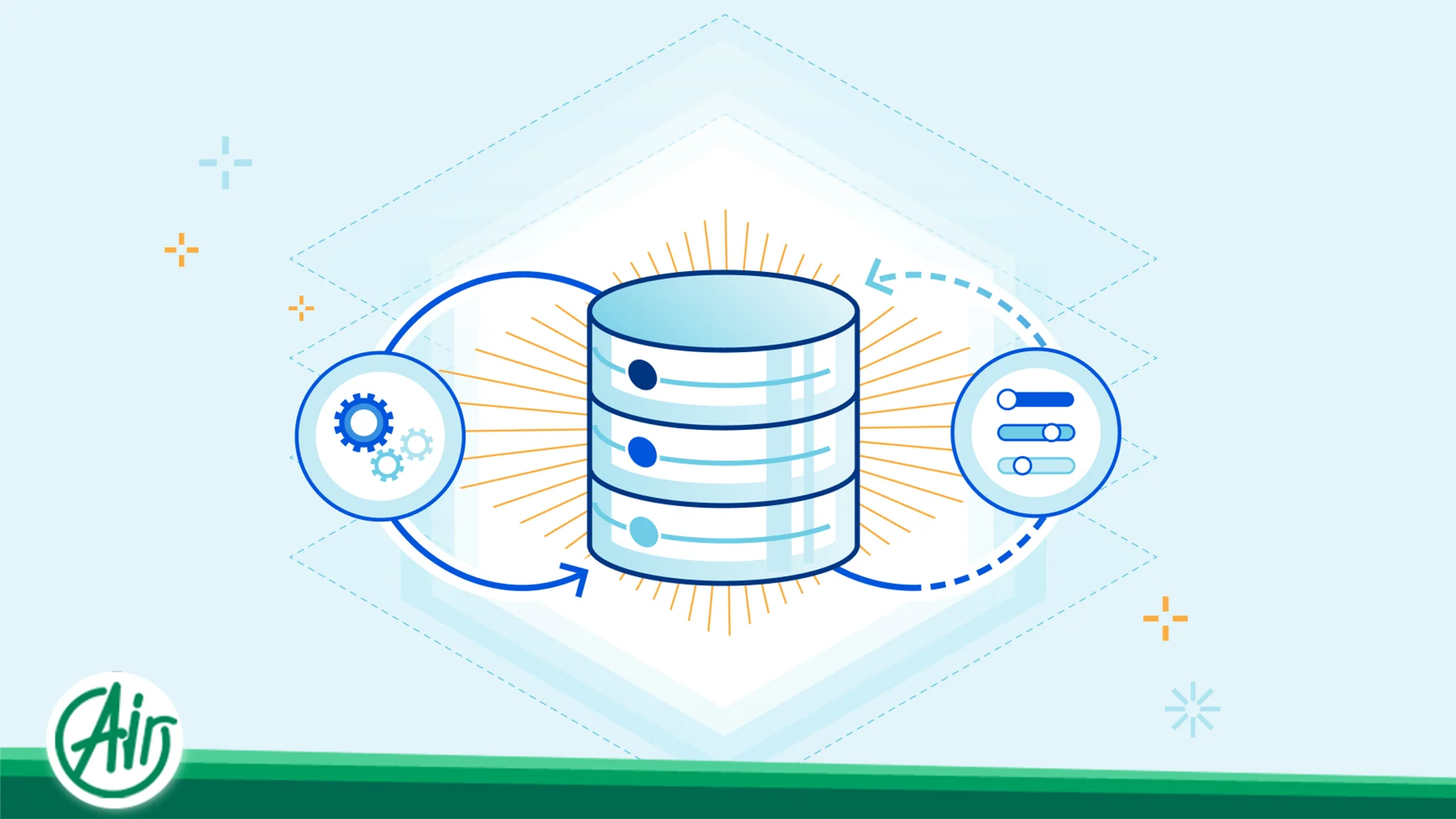
Database Cache: Temporarily stores the results of intensive database queries to prevent repetitive, heavy disk read operations.
-
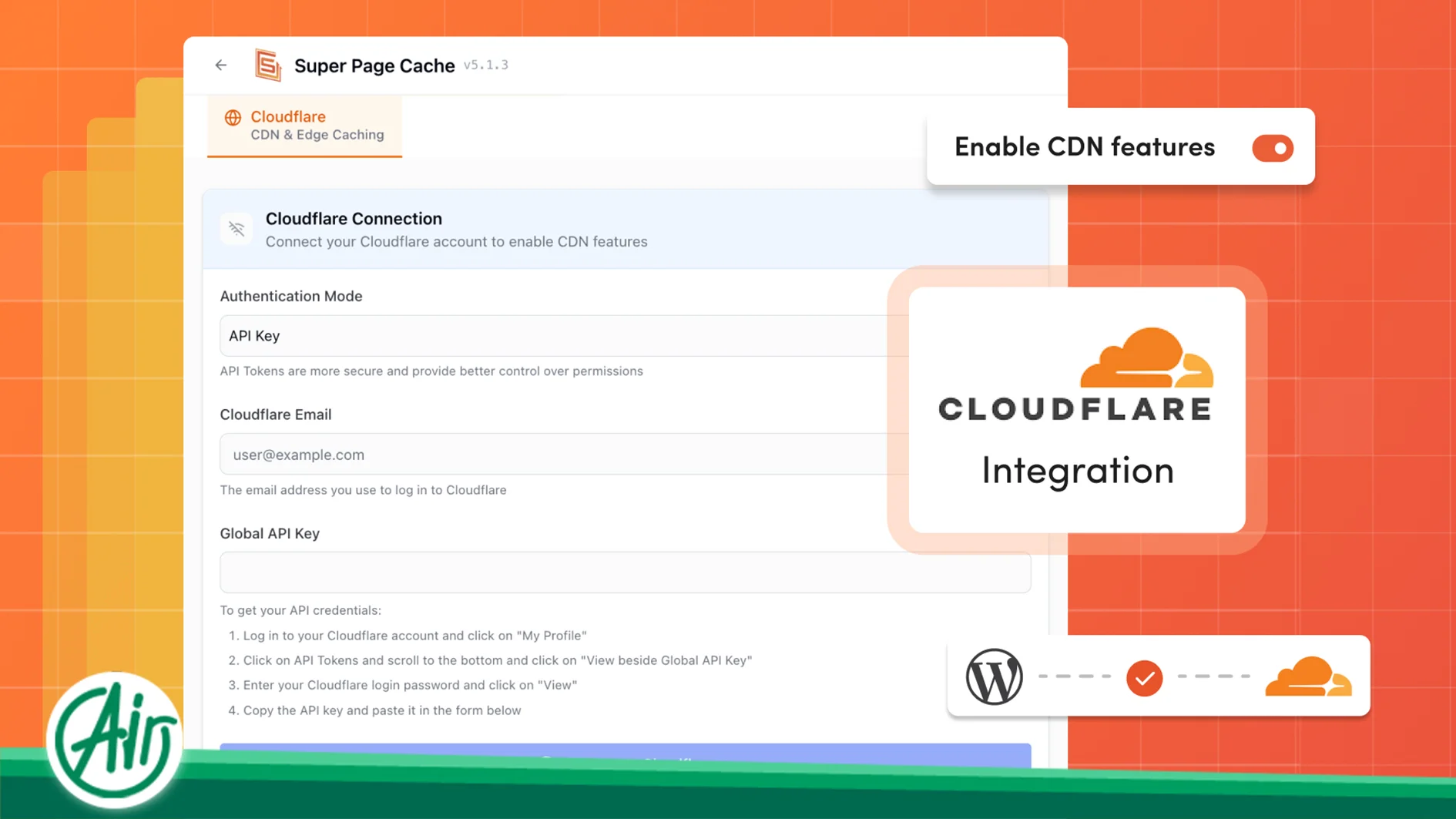
CDN Cache: Distributes website content across edge servers worldwide to bring data geographically closer to the end user.
-
DNS Cache: Keeps DNS resolution records in the browser, operating system, router, or resolver to minimize domain lookup times.
-
CPU Cache: Represents the fastest, smallest memory layer built directly into the processor die to handle machine instructions.
-
Object Cache: Temporarily stores complex data structures and pre-constructed database objects generated by backend application code.
-
Opcode Cache: Caches precompiled PHP bytecode in shared memory, eliminating the need for the server to parse script files on every request.
Understanding Browser Caching
This layer of caching is managed directly on the end-user’s device, significantly influencing repeat visit speeds.
Saved File Types
To minimize reload times, web browsers save static documents—such as images, CSS stylesheets, JavaScript files, and certain text assets—locally on the client machine. This practice ensures these files do not need to be downloaded over the network during subsequent page views.
Retention Periods
The duration for which these files remain cached on the client device is dictated by headers sent from the hosting server. This period can range from a few hours for rapidly updating news portals to a full year for static assets like company logos.
Core Advantages
The primary advantage of browser caching is the massive saving in user bandwidth and the drastic reduction in page rendering times. It also reduces egress traffic on the origin server, as a significant portion of the page assets are served directly from the user’s local RAM or disk storage.
Clearing Methods
Users can clear this data through their browser’s privacy settings by deleting cache and history. In a development environment, executing a hard reload (typically via CTRL+F5) forces the browser to bypass local cache files and request fresh assets directly from the server.
Understanding Server-Side Caching
Managing cache on the server ensures requests are answered before heavy backend application code is executed.
Page Cache
Page caching captures the entire HTML output of a dynamically generated page and saves it as a static file on the server’s disk or RAM. On subsequent requests, the server delivers this pre-rendered file directly, bypassing backend scripts entirely.
Static File Cache
This layer focuses on storing unchanging website assets—such as static documents and images—in the fastest sectors of server memory, allowing the web server to dispatch these files to the network without invoking complex application runtimes.
Dynamic Cache
Dynamic caching handles the variable portions of a web page. Instead of saving the entire page, it caches specific data segments that are computationally expensive to generate but remain static for a short window, improving the load times of personalized pages.
Reverse Proxy Cache
A reverse proxy (such as Nginx) sits in front of the application server, functioning as a high-speed gatekeeper. It evaluates incoming requests and immediately returns cached responses when available, shielding the origin application server from unnecessary traffic.
Edge Caching and Content Delivery Networks (CDNs)
Utilizing content delivery networks is a vital step in reducing the physical distance between users and web assets.
How CDN Caching Works
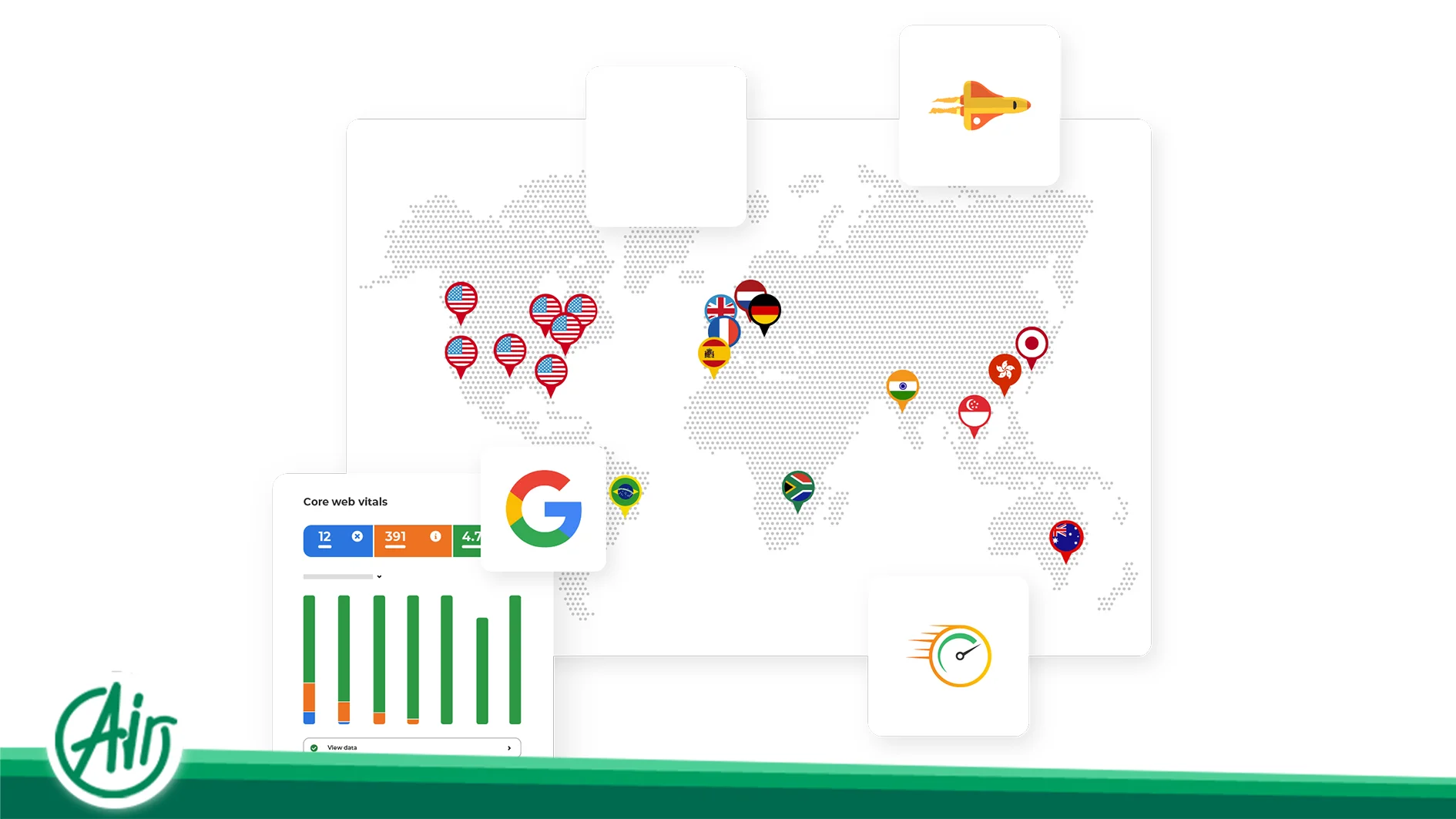
A CDN consists of a globally distributed network of servers. When CDN caching is active, the first request originating from a specific geographic region pulls the content from the origin server and caches it at that region’s edge server. Subsequent requests from nearby users are served directly from this local edge node.
Edge Cache and the Purge Process
Edge caching refers to storing web assets at the outermost boundaries of the network, closest to the end user. Because these edge servers handle responses at the perimeter, user requests do not need to traverse international transit points. Conversely, a purge operation is the manual or automated deletion of these cached files from the edge servers. This is critical when site administrators update backend code or media files and need those changes to reflect globally and instantaneously.
Database Optimization and Structured Data Management
Relieving database stress is a critical step in preventing server degradation during traffic spikes.
Query Cache and Database Engines
Query caching is a mechanism that stores the exact text of an SQL query along with its parsed result set in temporary database memory. While legacy database engines like older versions of MySQL utilized built-in query caches, this feature was deprecated and removed in MySQL 8.0. Modern database architectures instead rely on external caching layers like Redis, Memcached, or application-level caching strategies.
Redis and Memcached
Redis is an ultra-fast, open-source, in-memory data structure store used widely as a caching layer. Because it stores data directly in RAM, its read and write performance surpasses traditional disk-based database engines. Similarly, Memcached is a high-performance, distributed memory object caching system. Designed to alleviate database load in dynamic web applications, its simple key-value store provides a lightweight caching layer for rapid data retrieval.
Object Cache in Content Management Systems
Dynamic content management systems, such as WordPress, query the database hundreds of times per page load to retrieve configurations, post metadata, and tax relations. Object caching keeps these retrieved query results in memory as ready-to-use PHP objects, neutralizing the need for redundant database lookups.
Normally, WordPress object caching only persists for the duration of a single page load. However, by configuring a persistent object cache using external tools like Redis, these structured objects remain cached across different user requests, sustaining high performance over time.
Script Execution and Runtime Optimization
Optimizing code execution at the server level minimizes the time spent parsing and processing backend scripts.
Opcode Cache and PHP OPcache
OPcache is an official extension for PHP that optimizes and stores precompiled script bytecode in shared memory. PHP is an interpreted language; under normal conditions, the server must read, analyze, and compile PHP source code into machine-readable instructions on every single request. OPcache retains this precompiled bytecode in RAM, enabling subsequent page requests to execute at near-native speeds.
Evaluating Caching Strategies: Benefits and Trade-offs
Despite its major performance advantages, caching introduces operational challenges that must be carefully managed.
Benefits of Modern Caching Systems
One of the most valuable benefits of a properly configured cache is a dramatic reduction in Time to First Byte (TTFB). By bypassing heavy database queries and code compilation, CPU and RAM utilization drop significantly. This efficiency allows the hosting server to support a much higher volume of concurrent users while drastically improving Google Core Web Vitals, particularly Largest Contentful Paint (LCP).
Technical Challenges and Risks
Improper configurations can cause users to see outdated page versions or stale content. Modifying CSS or JavaScript files without updating their cache-busting version parameters can break the site layout for returning visitors. Additionally, caching infrastructures can be vulnerable to security risks such as Cache Poisoning, where malicious inputs are injected into the cache and served to other users. Finally, managing cache purges across multiple layers increases overall system complexity.
When to Clear Cache
Cache clearing should be done selectively and with clear intent. The most critical scenarios requiring a purge include:
-
System Updates: Upgrading website core files, active themes, or critical backend plugins.
-
Asset Modification: Modifying design files, stylesheet configurations, or JavaScript code.
-
Infrastructure Changes: Editing DNS server records, updating routing pathways, or changing IP mappings.
Comparative Analysis of Data Storage Concepts
To better understand the structural and functional differences between cache and other storage mechanisms, review the comparison below:
| Feature | Cache | Cookie | Session | RAM |
| Primary Purpose | Speeds up retrieval of static assets and web pages | Stores identity tokens and client preferences | Manages private state data for a specific user | Hosts active system processes and execution instructions |
| Storage Location | Browser, Server, Database, or CDN edge node | Exclusively inside the user’s browser | On the server side (linked via a unique session ID) | Primary server or client hardware memory |
| Storage Capacity | High capacity (ranging from Megabytes to Gigabytes) | Highly restricted (maximum of 4 Kilobytes) | Moderate (limited to session-related text strings) | High capacity (dependent on physical hardware limits) |
| Lifespan | Dependent on configured TTL and purge policies | Long-term (defined by a set expiration date) | Temporary (cleared when the session or browser closes) | Volatile (persists only while hardware remains powered) |
Industry-Standard Caching Tools
Selecting the correct tools based on your architecture maximizes the efficiency of your caching strategy.
Server-Level Tools
-
In-Memory Stores: Redis and Memcached serve as the industry standard for database and object caching.
-
Web Server Solutions: LiteSpeed Cache provides deep integration with LiteSpeed web servers, while Nginx FastCGI Cache is highly efficient for caching PHP output directly at the web server layer.
-
CDN Solutions: Cloudflare handles edge caching and global content delivery.
-
Compiler Optimizers: OPcache provides essential, low-level PHP bytecode caching.
Content Management Integration (WordPress)
-
LiteSpeed Cache: The optimal choice for sites hosted on LiteSpeed web servers.
-
WP Rocket: A premium, highly user-friendly plugin featuring automated optimization settings.
-
W3 Total Cache: A comprehensive tool designed for advanced caching configurations and CDN integrations.
-
WP Super Cache: A straightforward, free plugin focused on generating static HTML files.
-
FlyingPress: A modern optimization plugin built specifically to target and improve Google Core Web Vitals.
Future Trends: AI and Edge Computing
Caching technology is rapidly evolving towards predictive performance. The rise of Edge Computing allows data to be processed and cached at nodes physically closest to telecommunication networks. Concurrently, artificial intelligence is being integrated to analyze user behavior, allowing systems to predict and pre-cache assets before an explicit user request is ever made. Furthermore, serverless caching systems are changing cloud architectures by dynamically allocating memory resources, optimizing both stability and operational costs for future web applications.
Frequently Asked Questions
- What is the difference between Cache Hit and Cache Miss?
A cache hit occurs when the system successfully finds the requested data in the temporary cache layer, allowing for immediate retrieval. A cache miss means the data is not found in the cache, forcing the system to query the slower primary storage (such as a database or NVMe drive) to retrieve and cache the content.
- How does browser cache help speed up a website?
Browser cache saves static files—like images, CSS stylesheets, and JavaScript files—directly on the user’s local device. On subsequent visits, the browser loads these assets from local storage instead of downloading them over the network, drastically reducing page load times.
- Is it always recommended to keep caching enabled?
While caching is highly beneficial for static pages, blogs, and landing pages, it should be disabled or carefully bypassed on highly dynamic pages. These include e-commerce cart pages, checkout funnels, user account dashboards, and real-time trading interfaces, where serving stale cached data can cause functional errors or expose sensitive user data.
- What is Edge Cache?
Edge cache is the process of storing website content on globally distributed CDN servers located at the outermost boundaries of the network. This places the data geographically closer to the end users, allowing requests to be answered from local edge nodes rather than traversing international networks back to the origin server.
- What is the role of OPcache in PHP?
OPcache is a caching engine built into PHP that stores precompiled script bytecode in the server’s RAM. Since PHP is an interpreted language, this prevents the server from parsing and compiling the same script files on every single request, allowing PHP code to execute at near-native speeds.




 EN
EN  AR
AR  FA
FA  DE
DE  FR
FR